
Get online contact information for authoritative publishers, bloggers, and influencers in your niche (and in record time).
Use our customizable pitch templates to do large-scale link building outreach without ever leaving the dashboard.
Optimize and manage your link building workflows in a centralized place. Perfect for agencies that deliver link building at scale!
Backlinks
Indexed Domains
Keywords
Countries
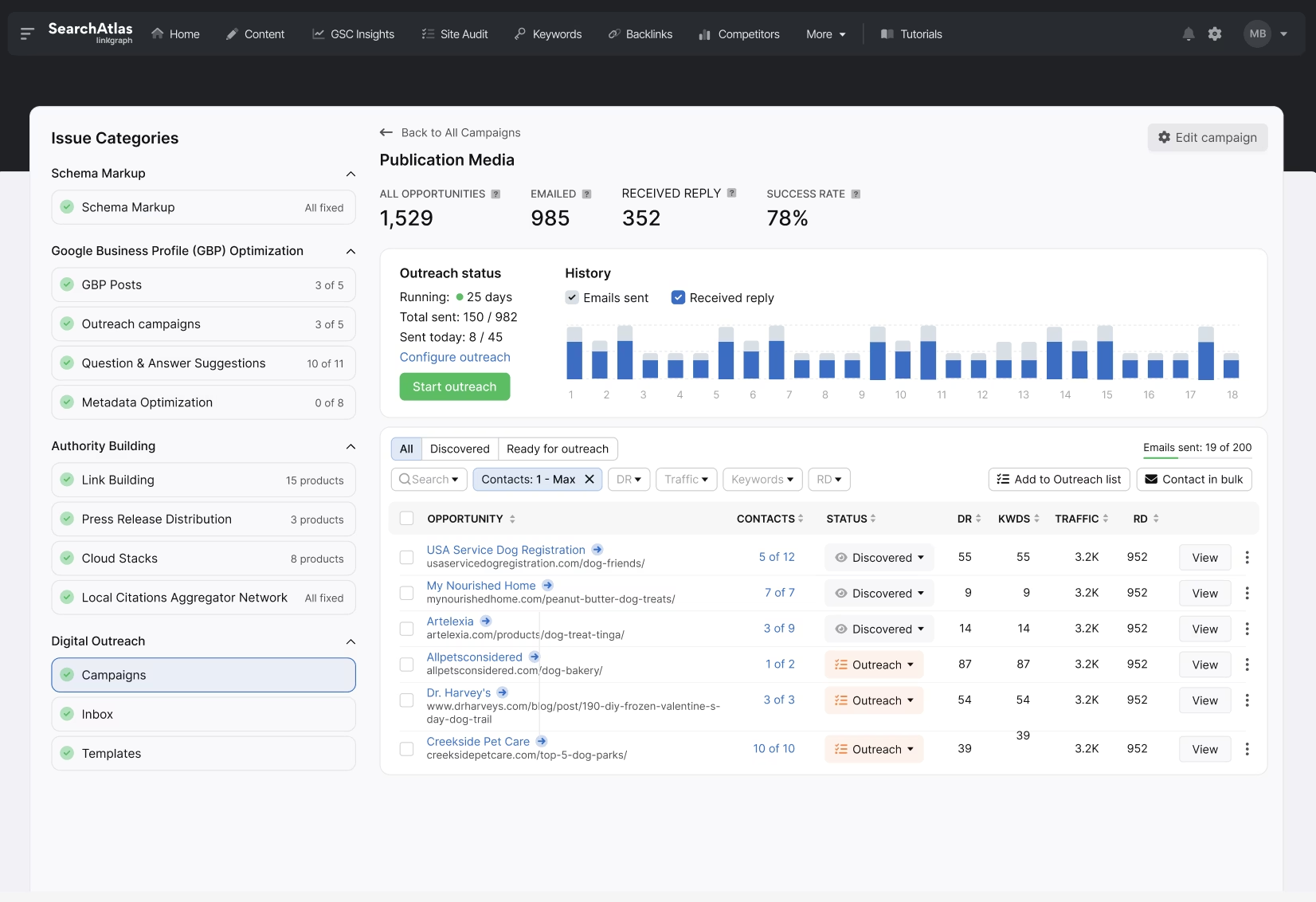
Enter your keywords to find publisher, blogger, and influencer prospects that fit the topical relevance of your website. Or, use the domain filters to limit link prospects to your preferred website authority and organic traffic goals. Reach out directly to link prospects from the dashboard and centralize your link building outreach for maximum efficiency!
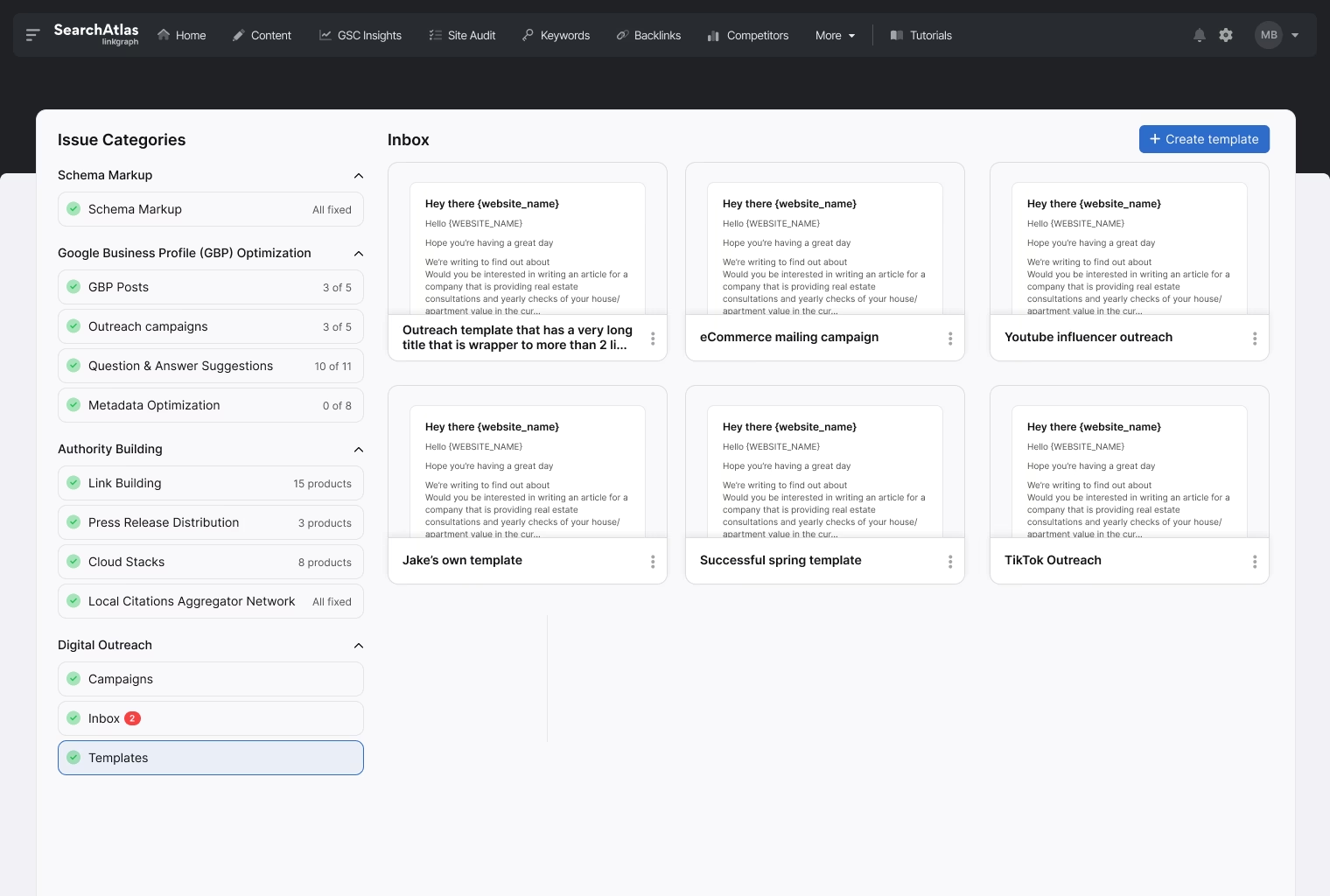
Need help crafting your link building pitches? Use our templates in your outreach campaigns and customize them with your website and partnership information. Or, create your pitch emails and easily reuse the most effective ones in your future outreach campaigns. Track the impact of your outreach and optimize your processes for maximum link acquisition!
Perfect for
Solo marketers, freelancers, and 1-person agency teams
Everything you need to optimize your personal workflows and deliver high-performing SEO campaigns.
Perfect for
Scaling agencies and mid-sized businesses managing multiple sites or clients
Perfect for
High-volume agencies and advanced SEO teams ready to scale fast
Everything in Growth, plus all LLM models, enhanced Authority Building with more HDC, and white label capabilities.
Perfect for
Agencies managing large client portfolios with unlimited scale and white-label capabilities
Everything in Pro, plus even more projects, with up to 10 OTTO sites, unlimited keywords, white-label reporting, client dashboards, priority support, and maximum quotas.
Everything you need to optimize your personal workflows and deliver high-performing SEO campaigns.
Everything you need to optimize your personal workflows and deliver high-performing SEO campaigns.
Everything in Growth, plus all LLM models, enhanced Authority Building with more HDC, and white label capabilities.
Everything in Pro, plus unlimited usage, white-label reporting, client dashboards, priority support, and max quotas.
Most trials get wasted on setup. In one 30-minute session, we’ll get your account set up correctly and point you to the fastest wins for your business.
Manage multiple link building campaigns in the same dashboard. Great for agencies that provide link building deliverables!
Find the highest-quality linking opportunities. Search for link prospects by keyword or domain authority levels.
Get accurate, up-to-date contact information for your link prospects. Reach out immediately without ever leaving the dashboard!
Use our customizable pitching templates in your outreach. Or, create your own and save for future campaigns!
Manage outreach and follow-up opportunities in the same place. Stop jumping between emails and optimize your team workflows.
Track the progress of your campaigns and know which link building pitches and partnerships deliver the best results.
Centralize all of your link building outreach emails to the same place. Send pitches and follow-up emails directly in the dashboard. Know which email threads belong to which campaigns or clients. If your agency does link building outreach at scale, Search Atlas is the perfect platform to organize and optimize your agency’s link building workflows.
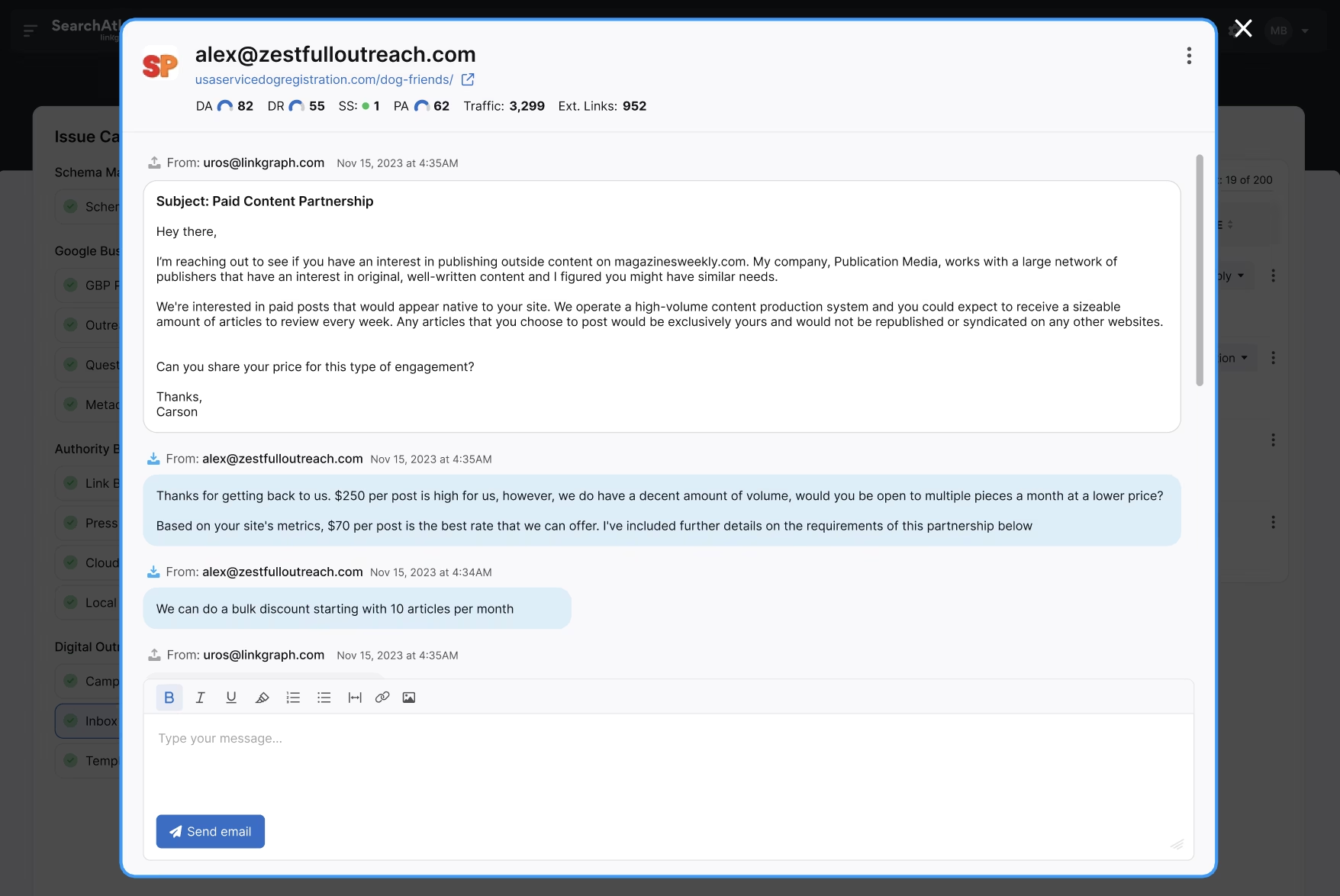
Easily navigate between client campaigns and keep your link building outreach organized. If you’re a marketing agency that needs to send thousands of outreach pitches monthly, Search Atlas is the ideal tool for maximizing your outreach efforts and saving time and resources. With multiple seats available for a monthly subscription, you’ll get your entire team on track to start delivering better results for your clients.
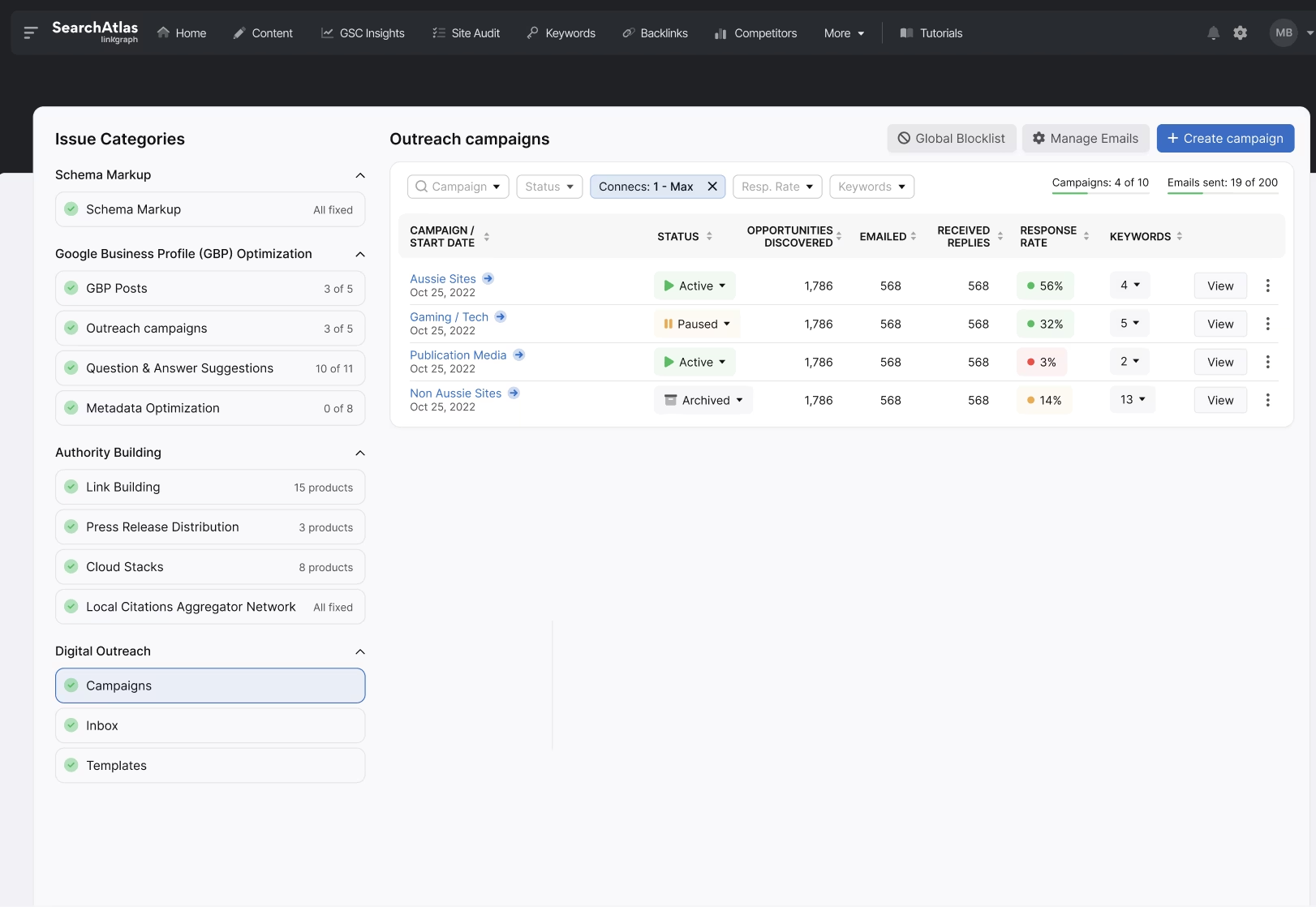







Once you have activated OTTO for your client project, navigate to the “Digital Outreach,” tab. Then, select “Campaigns,” from the left-side menu. In the top right-hand corner, click the “+ New Campaign” button. (Note: You can also access a stand alone version of the Digital PR tool in your Search Atlas navigation menu. Select “More,” then click “Digital PR.”)
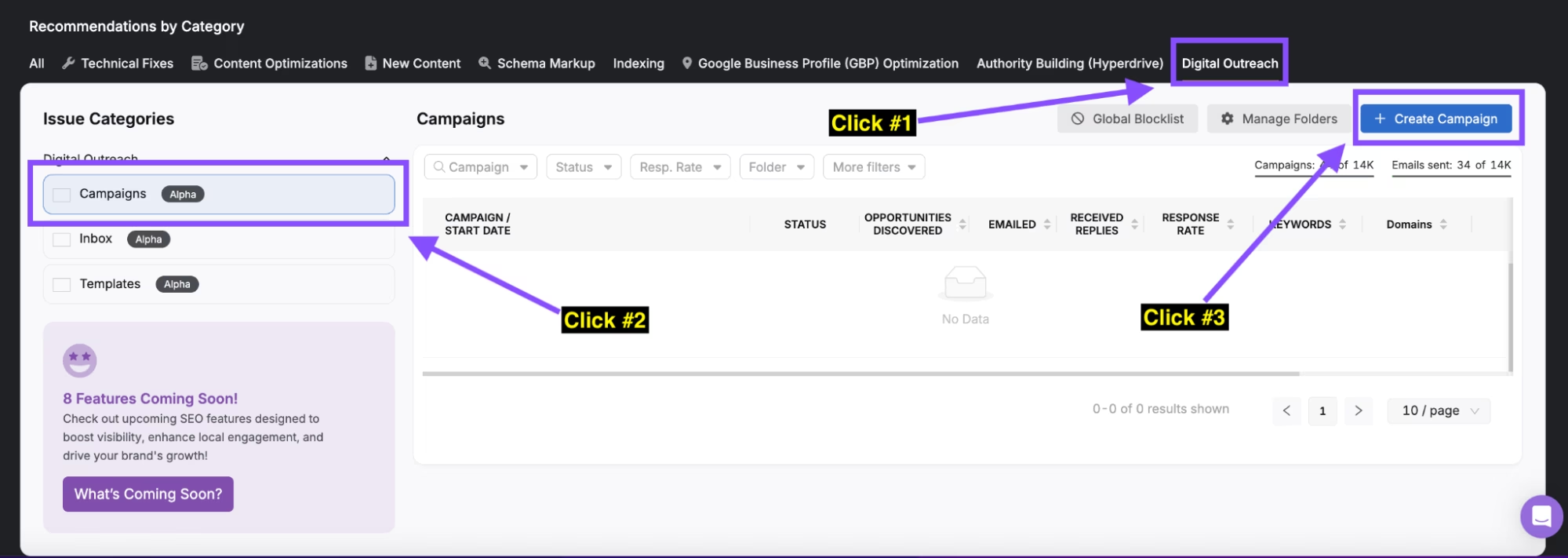
Give your campaign a name and select the appropriate Project folder. Then, choose whether you want to search for link prospects using keywords or domains. If you need keyword suggestions, type a term into the provided text box and click “populate.” Next, use the filters to determine your preferred location, TLD, Domain Rating, Traffic, or total keyword preferences for link prospects. If you have any websites that you don’t want included in your outreach list, add them to the “Blacklist” box. Then, click “Next Step.”
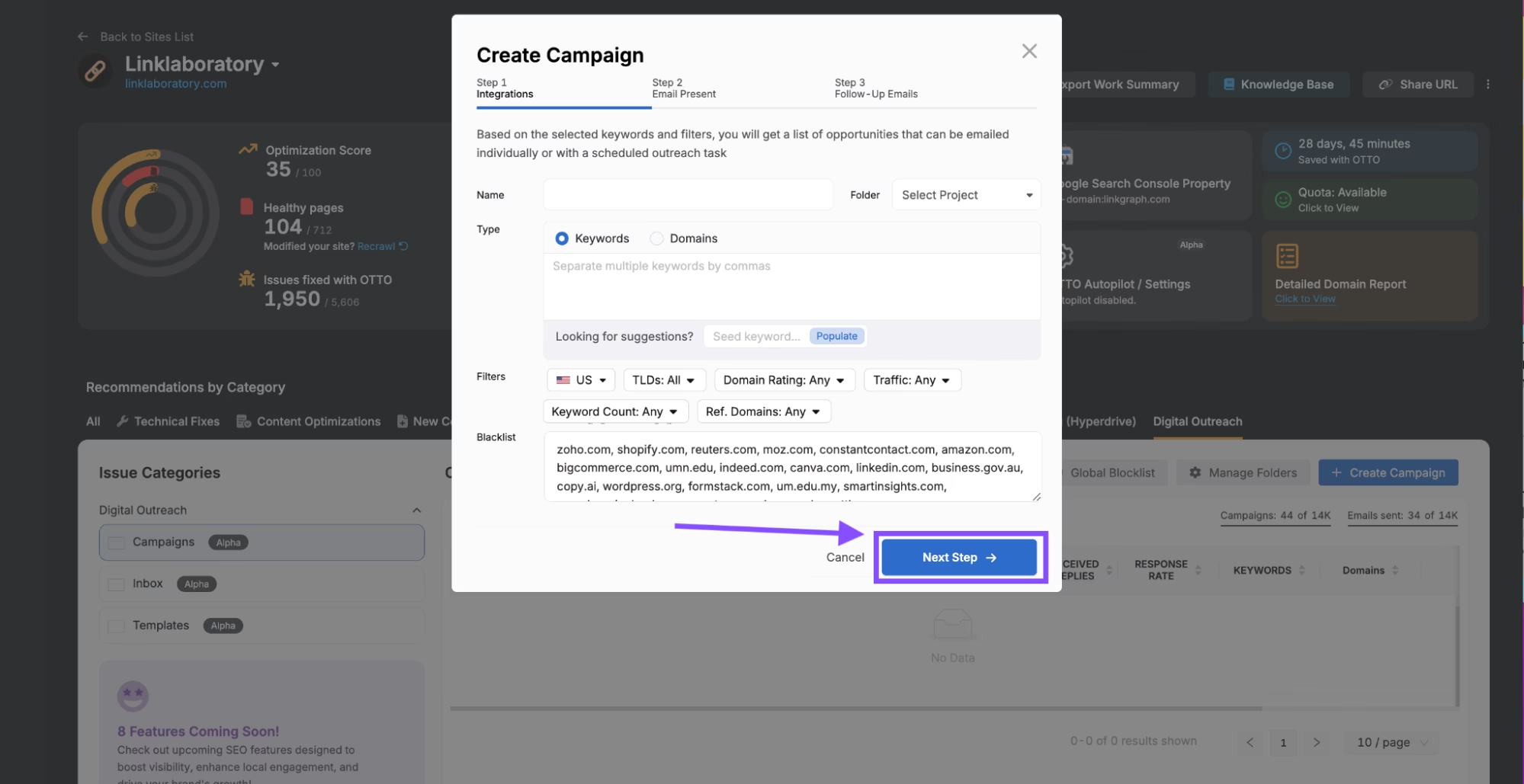
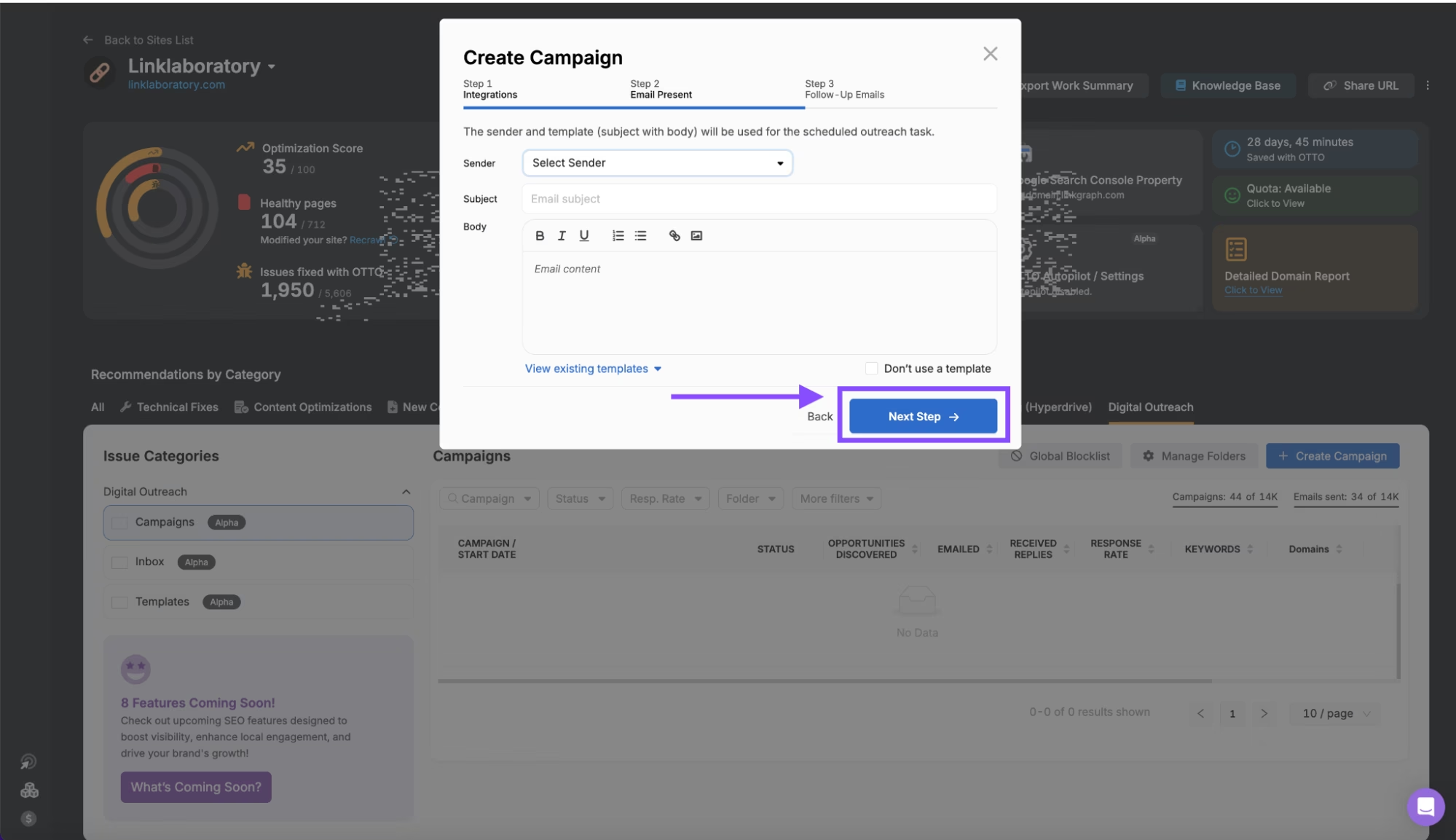
Use the “Sender,” dropdown to select an email to send outreach emails from. Then, give your outreach email a subject line. You can write your own pitch in the “Body” text box, or, click “View existing templates,” to use an existing template. Make sure to modify the template to match your website information and outreach requests. Once completed, click “Next Step.”
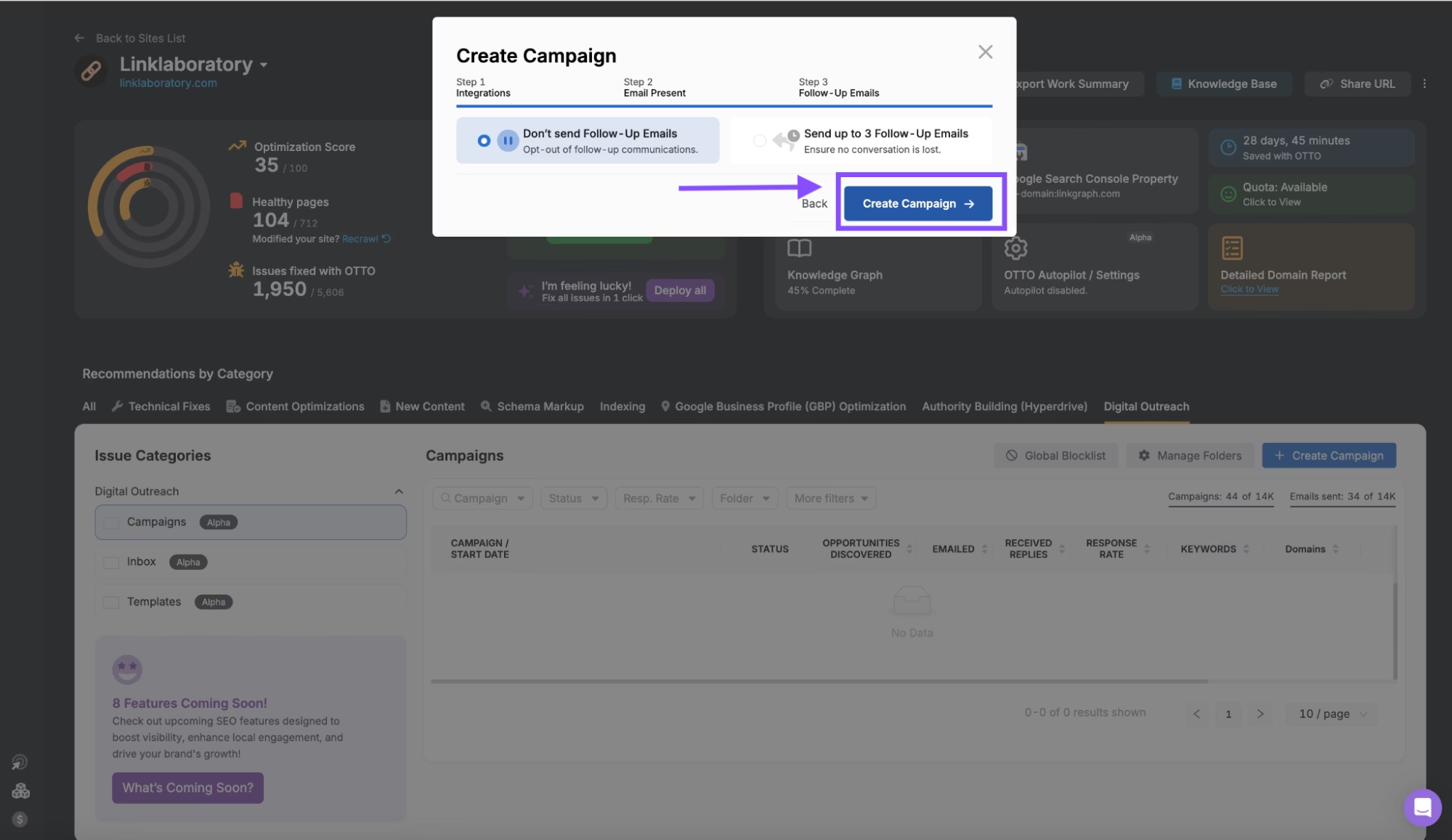
Some link prospects may not respond to your initial outreach email. For this reason, it can be good to send follow-up emails to confirm they reviewed your initial pitch. Choose whether you want to send follow-up emails or opt-out. Then, click “Create Campaign.”
Once your campaign is created, you’ll receive a list of websites that may be worth reaching out to. Review their DR, Keyword, and traffic metrics to confirm the quality and relevance of the suggested website. Then, click on the website or contacts column to see a list of contacts that you can reach out to about a potential link partnership. Use the status column to track whether or not you have reached out to a website. Or, click “Start Outreach,” to begin reaching out to the websites in the list.
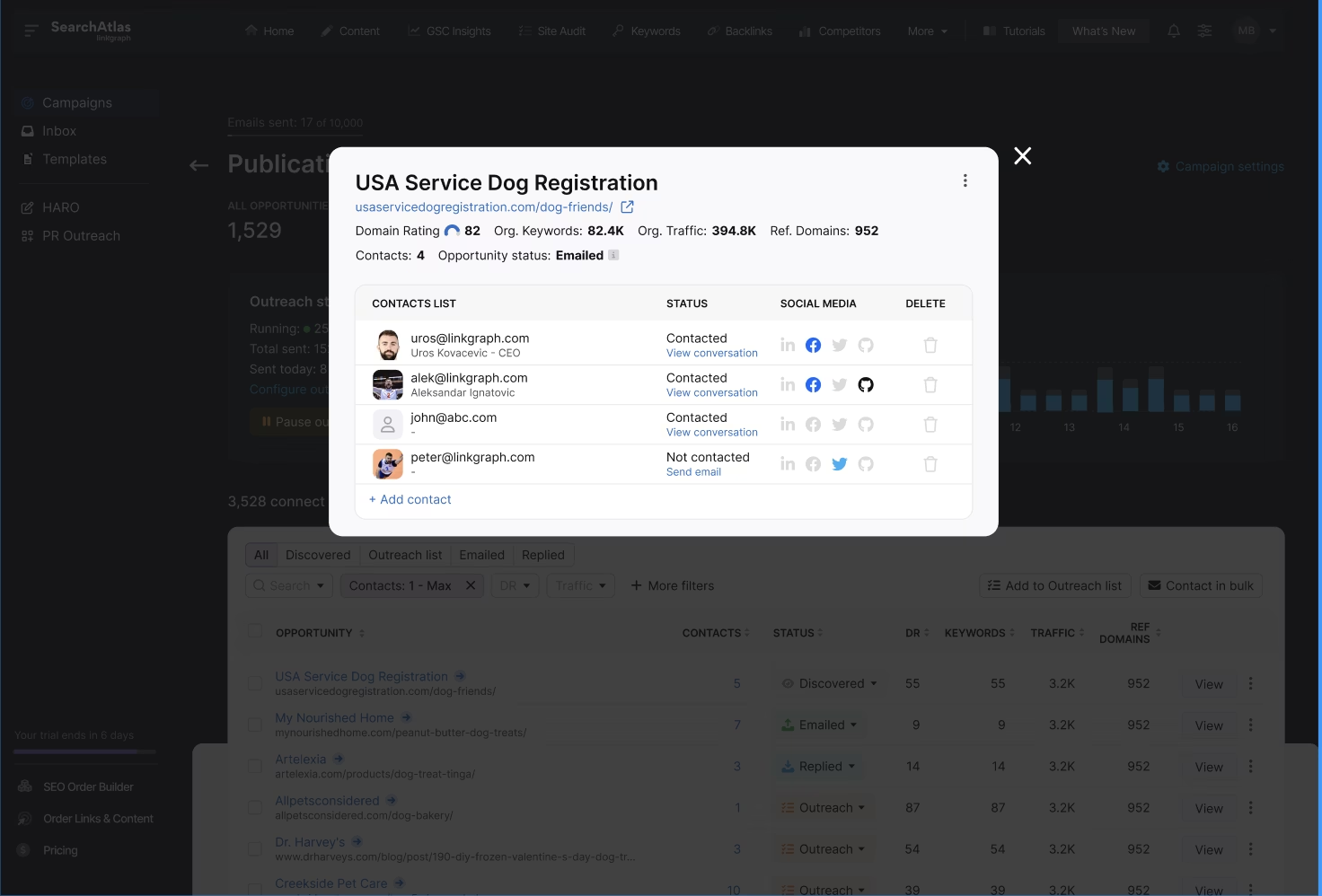
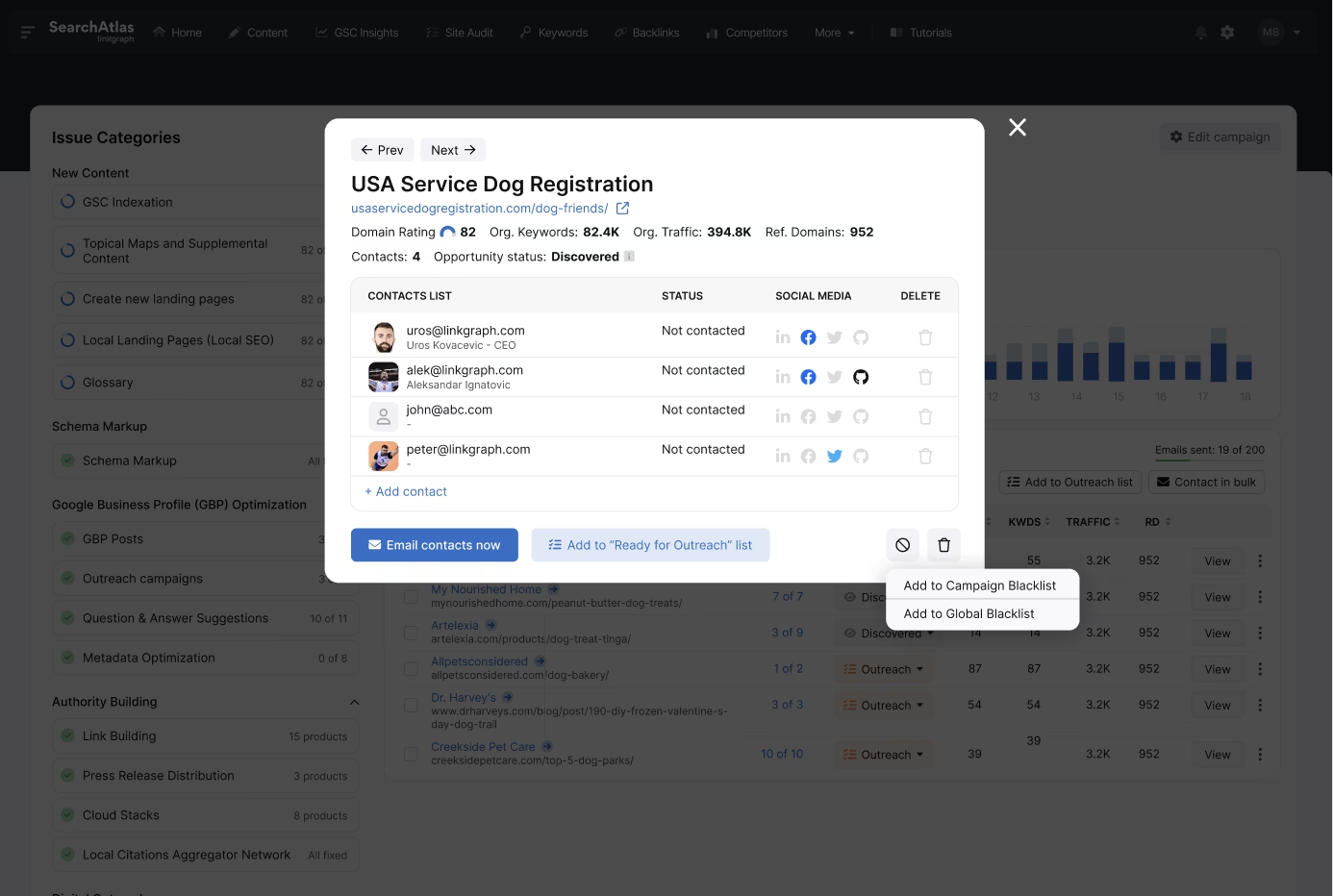
You can also select from the list of discovered contacts by clicking on the blue numbers in the “Contacts” column. You’ll see a list of emails and links to social media profiles of the contacts. Click “Email Contacts Now,” to begin drafting an outreach email. Or, click “Add to ‘Ready for Outreach’ list,” to add to an email list to reference later on.
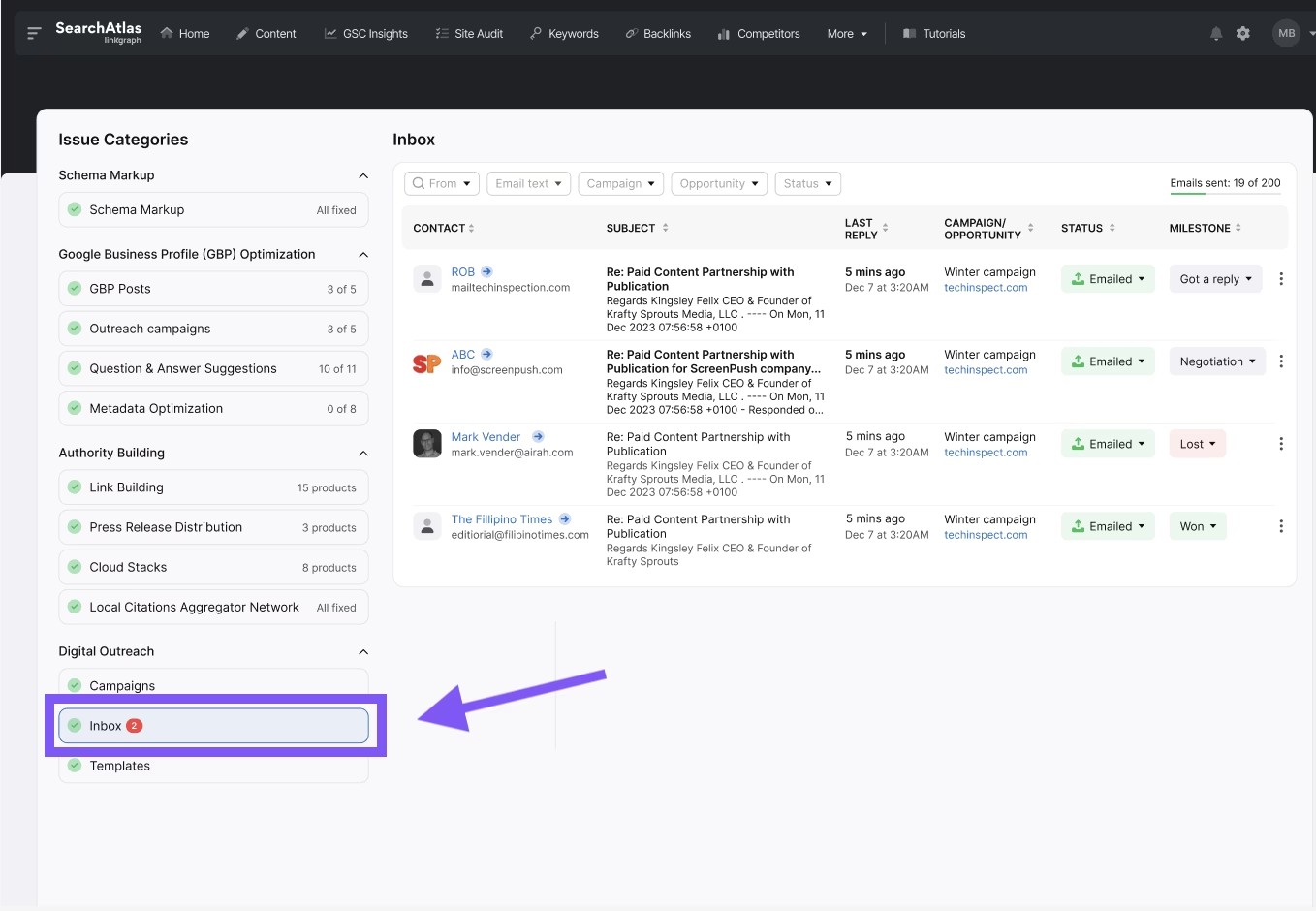
Manage all of your outreach communication by clicking “Inbox” from the left side menu. You’ll see a list of your outreach emails as well as any replies (if received). Track milestones with your outreach in the “Milestone,” column, and keep track of any follow-up emails sent or backlinks earned directly in your dashboard.
Based on 3,200+ Reviews: